¶ Server Properties GUI Tutorial
With Tick Hosting’s Server Properties GUI, you can adjust every Minecraft server setting—no coding, no file editing, just instant changes! Search, filter, and customize with clicks, sliders, and dropdowns.
¶ Accessing the Server Properties GUI
In your Tick Hosting control panel, select your server—then click Server Properties in the left sidebar.
This opens a graphical interface for all settings grouped by category (Essentials, Gameplay, World, Advanced…).
¶ Find What You Need Fast
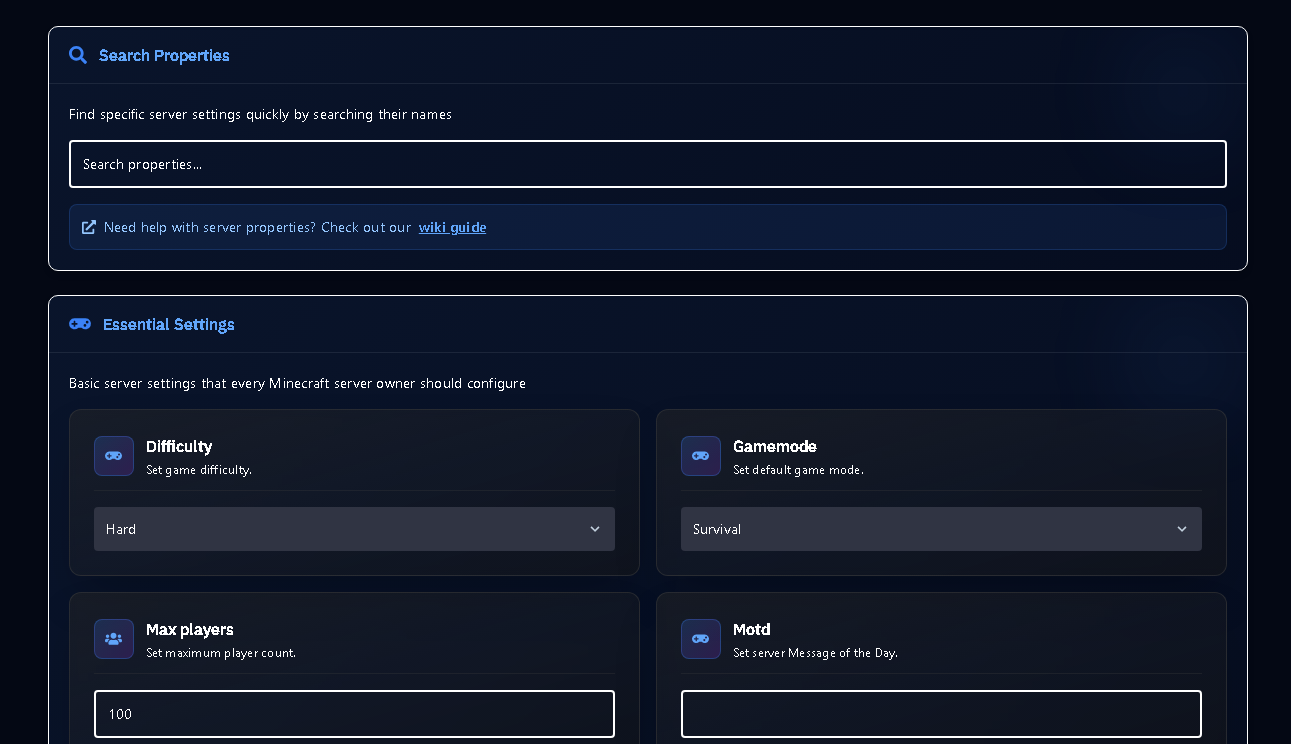
Use the Search Properties box at the top. Type a keyword (e.g. “spawn”, “offline”, “pvp”, “motd”)—the GUI instantly filters and highlights all matching options.
Great for finding advanced settings without hunting through long files!
¶ Editing Properties Visually
Each property is displayed with a clear label and easy controls:
- Dropdown menus for gamemode, difficulty, etc
- Text boxes for MOTD, seed, custom values
- Sliders / number inputs for max players, render distance
- Switches for boolean options (
online-mode,pvp, etc)
No need to remember property names or valid values—the GUI provides help/tips for each item!
¶ Instant Save & Safe Changes
Changes are saved immediately or with a “Save” button (see panel). After editing, restart your server to activate the new settings.
You’re always protected from invalid values—wrong formats are blocked!
¶ Troubleshooting & Safety
Solution: Always restart your server after edits. Only supported options for your server type will be applied.
¶ 🎉 Full Server Control, No Hassle!
Now you can configure ANY property—instantly, and error-free. Just search, select, save, and play!